
Suggestions
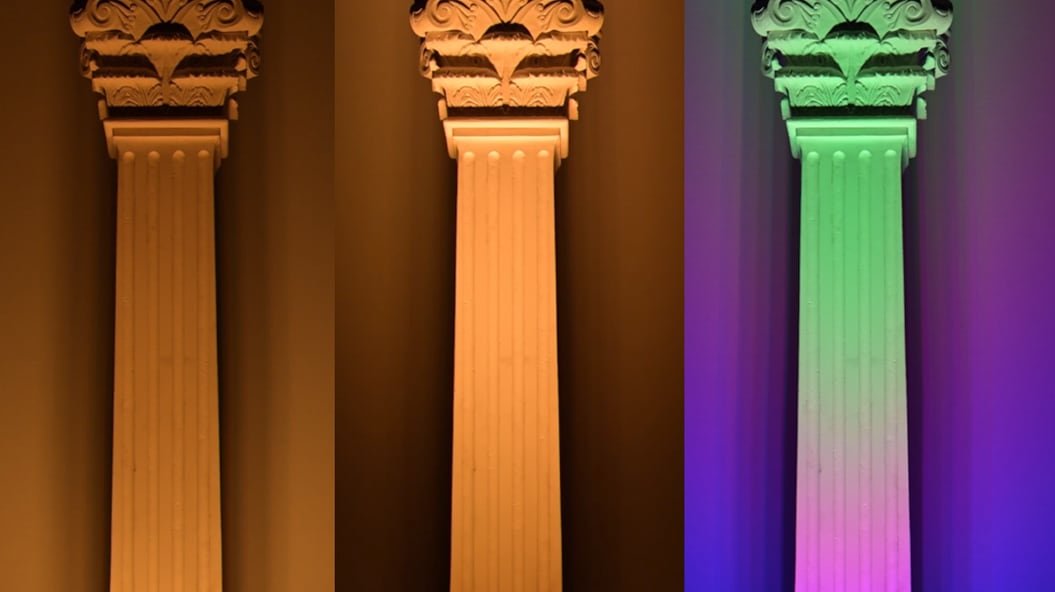
Inside each luminaire, three beam zones (center, middle, and outer) automatically adjust the intensity of their LEDs to deliver the beam angle you choose. Explore a whole world of flexibility and creativity. Set the beam angle once at commissioning and use the luminaire like any other. Adjust the beam from your control system as the project evolves. Or take direct control of the color and intensity of each zone and create light patterns that shift, undulate, and pulse.
ActiveBeam is available in two of our most popular families, BlastElite ActiveBeam and GrazeElite ActiveBeam. Both are commissioned much like their standard counterparts and support familiar three channel color control with Chromasync Pro.
Adjust the beam without touching the luminaire. In Dynamic mode you can adjust the beam from wide to narrow. In Media mode let your imagination run wild with individual control of three beam zones.
Light that moves.
ActiveBeam gives you a second dimension of control that a fixed luminaire can’t offer, with Media mode. Set the color and intensity of the center, middle, and outer zones independently, and light can travel from the heart of the beam to its edges and back, creating naturalistic lighting effects that shift, undulate, and pulse. With many ActiveBeam luminaires working together, these effects can create truly immersive experiences.
In Dynamic mode, change the beam angle with one added channel to your control system, or set it once using Static mode with no additional channels added. Change modes at any time with QuickPlay Pro 2.
Five LED colors, your choice of control. Each beam zone mixes five LED colors (RGBAW). Chromasync Pro lets you choose color with three traditional DMX values, and Media mode adds individual control of each channel.
Consistent color at every beam angle. Chromasync Pro keeps color consistent as you change the beam angle and helps you match ActiveBeam with other luminaire families.
Reliable in punishing conditions. An aluminum body and tempered glass lens protect BlastElite ActiveBeam and GrazeElite ActiveBeam from the elements. Both offer 6 kV surge protection and meet ASTM B117 for more than 1,500 hours and ANSI C136- 31-2023 for roadway and area lighting on bridges and overpasses. In short, these ActiveBeam luminaires are ready for the real world.
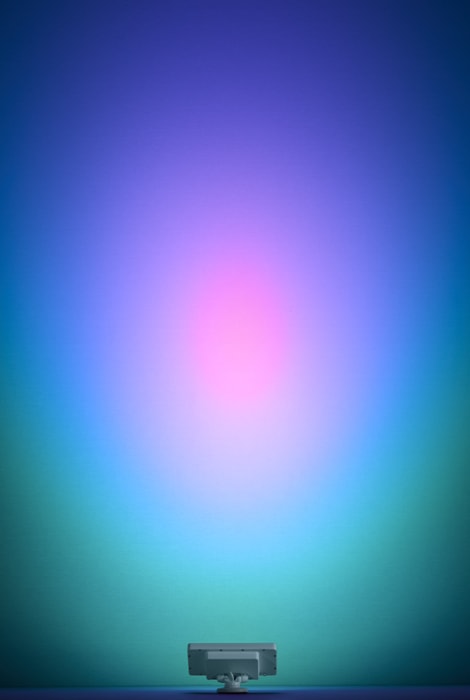
With most luminaires, the optic determines the beam angle. To change the beam, you swap the lens or add an accessory. ActiveBeam takes a different approach. It sets the beam angle electronically, by blending the intensity of three beam zones, with no moving parts.
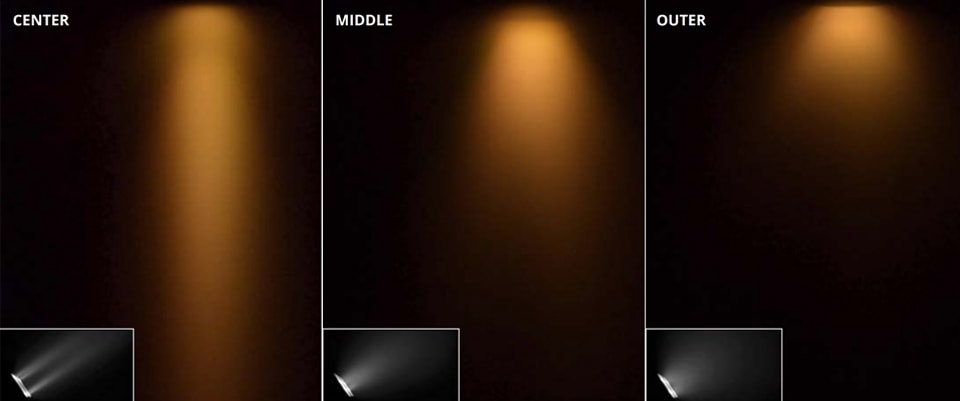
Dynamic mode lets you change the beam angle from your control system. It adds one DMX channel to each luminaire or pixel and gives you 256 steps of beam angle resolution, from a 12° beam at 0 to a 60° beam at 255 with every value in between setting a different angle. The mapping is not linear by design, so a simple linear fade from 0 to 255 looks like a smooth, even transition from narrow to wide.
To set a beam angle once and have the luminaire hold it always, choose Static mode, which adds no DMX channels. Media mode opens up a different kind of control by skipping adjustable beam angles and giving you direct control of each zone’s color and intensity. Controlling light in two dimensions on a surface has typically meant stacking several luminaires, each aimed at a different position.
In Media mode, a single ActiveBeam luminaire does it. Its center, middle, and outer zones each take their own color and intensity, creating naturalistic lighting effects that shift, undulate, and pulse. You can change modes at any time with QuickPlay Pro 2.
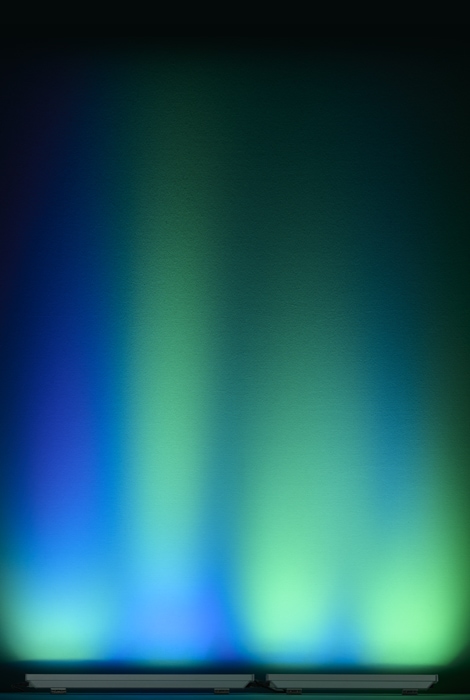
BlastElite ActiveBeam has one pixel. GrazeElite ActiveBeam has one pixel per foot, so the 1, 2, 3, and 4 ft luminaires have 1, 2, 3, and 4 pixels, each with its own set of zones. For more on Configuring ActiveBeam see www.colorkinetics.helpdocs.io/article/pqjy41l3ve.
Our advanced technologies set new standards for consistency, accuracy, and performance, enabling your most innovative and ambitious lighting designs and projects. For example, Chromasync Pro color control keeps color consistent across luminaires, simplifying the control of any LED mix to three DMX values, while Powercore Pro extends run lengths to 400 ft.
These are just some of the innovative technologies to come out of our engineering labs, all driven by the evolving and escalating needs of our customers throughout the world. Explore the portfolio below.

Where consistency begins.
Our LED optimization technology begins the color consistency process by grouping LEDs by flux as well as center wavelength.

Optimize color consistency and saturation.
Our advanced output optimization technology takes a major leap forward in color consistency, accuracy, and simplicity.


Beam control at your fingertips.
Three beam zones in every pixel blend electronically, with no moving parts, so you can set the beam anywhere from 12° to 60° or take direct control of each zone. The result? One luminaire that adapts to the architecture now and as the project evolves.